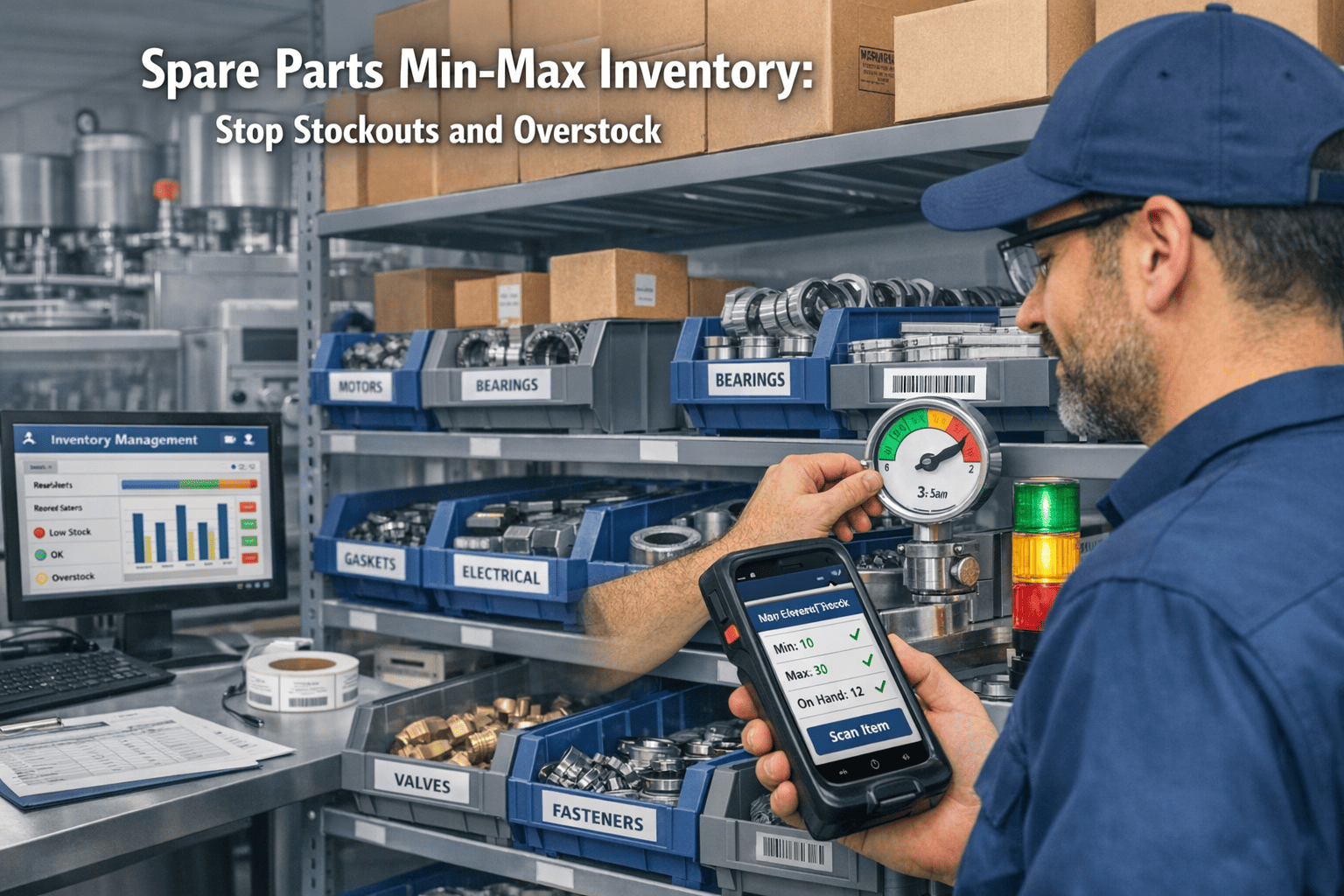
Your MRO inventory accounts for 40 to 50% of your total maintenance budget, yet 15 to 25% of it sits obsolete on shelves while critical parts run out during emergency repairs. This paradox — storerooms overflowing with parts you do not need while missing the ones you do — costs industrial facilities millions annually in both tied-up capital and unplanned downtime. The root cause is not insufficient inventory. It is insufficient intelligence. Without a CMMS linking spare parts to equipment criticality, consumption patterns, and PM schedules, maintenance teams order by gut feel and discover stockouts only when a production line stops. Start tracking parts consumption on Oxmaint or book a demo to see automated reorder intelligence in action.
$1.82B
projected spare parts management market by 2030 — 12.3% CAGR driven by data-driven inventory control
20-30%
annual carrying cost of overstocked spare parts — tying up working capital with zero operational return
3-5x
premium paid on emergency parts orders compared to planned procurement at standard pricing
40%
inventory cost reduction achievable with optimized min-max levels and automated reorder triggers
What Is Min-Max Inventory in Maintenance?
Min-max inventory is a replenishment strategy where each spare part has two defined thresholds: a minimum level that triggers a reorder and a maximum level that caps the quantity on hand. When stock drops to the minimum, a purchase request fires automatically. When it reaches the maximum, no further orders are placed. This simple framework eliminates both the stockouts that cause emergency downtime and the overstocking that ties up working capital. In a CMMS, min-max levels are not static guesses — they are calculated from actual consumption history, real supplier lead times, and asset criticality ratings. The system updates recommended levels as usage patterns change, keeping your storeroom aligned with operational reality rather than assumptions from last year. Try Oxmaint free and set up your first min-max levels in under 15 minutes.
The Reorder Point Formula
ABC-VED Criticality Classification
A — Vital
Always In Stock
20% of parts, 80% of inventory value. Components for critical production assets where a single stockout causes immediate production loss. Insurance stocking with high safety buffers. Daily monitoring in CMMS.
B — Essential
Monitor and Reorder
30% of parts, 15% of value. Support preventive maintenance and predictably recurring corrective tasks. Stocking levels driven by usage frequency and lead time reliability. Weekly review cycles.
C — Non-Critical
Order on Demand
50% of parts, 5% of value. Can be ordered on demand if lead time is short and supplier performance is stable. Simple min-max systems with low safety stock. Monthly review sufficient.
D — Obsolete
Dispose or Transfer
Parts for decommissioned equipment or items exceeding 24-month no-movement threshold. Account for 10 to 30% of total stock and inflate carrying costs with zero operational value. Flag for disposal.
Stop guessing reorder points — let your CMMS calculate them
Oxmaint tracks consumption from every closed work order and fires reorder alerts before bins hit zero.
Book a Demo
Spreadsheet Inventory vs. CMMS-Driven Min-Max
Spreadsheet Inventory
Reorder thresholds set once during setup and never updated
Parts consumption tracked manually — if tracked at all
Lead times based on vendor quotes, not actual delivery history
No link between spare parts and the specific assets that use them
Stockouts discovered when a technician walks to the storeroom
Obsolete stock accumulates for years with no flagging mechanism
CMMS-Driven Min-Max
Reorder points recalculated quarterly from live consumption data
Every work order that consumes a part updates consumption history automatically
Actual delivery performance tracked per vendor per part number
Every spare part linked to its parent asset, BOM, and PM schedule
Reorder alerts fire automatically when stock hits minimum threshold
24-month no-movement items flagged for disposal review automatically
How Oxmaint Manages Spare Parts Inventory
Oxmaint links spare parts to assets, tracks consumption from closed work orders, fires reorder alerts before bins hit zero, and generates purchase requests to approved vendors without manual intervention. The result is a storeroom that stays aligned with operational need — not last year's assumptions. Start a free trial and have your first automated reorder trigger live in under a day.
Asset-to-Part Linking
Every part in your storeroom is linked to the assets that use it. When a technician creates a work order for a pump, Oxmaint shows exactly which seals, bearings, and gaskets are required — and whether they are in stock.
Automated Min-Max Triggers
Set minimum and maximum stock quantities for each part based on usage rate, supplier lead time, and asset criticality. CMMS tracks consumption from every closed work order and updates recommended levels automatically.
Auto-Generated Purchase Requests
When stock drops to the minimum level, Oxmaint generates a purchase request automatically — pre-filled with the preferred vendor, part number, and quantity needed to reach maximum stock level.
PM-Driven Demand Forecasting
Oxmaint reads your PM schedule forward and surfaces parts requirements before the maintenance window arrives. Parts for a planned bearing replacement in 3 weeks are flagged for procurement today.
Multi-Location Stock Visibility
For facilities with multiple storerooms or satellite locations, Oxmaint shows stock levels across all locations in a single view. Transfer between locations without creating new purchase orders.
Consumption Analytics
Track which parts are consumed most, which assets eat the most spares, and which parts have not moved in 12+ months. Automatic ABC classification identifies slow-moving inventory for disposal.
Key Inventory KPIs to Track
6-12x
Inventory Turnover
Annual target. Measures how efficiently capital invested in spare parts converts to completed maintenance work.
95%+
Service Level
Parts availability rate. Percentage of maintenance requests fulfilled from existing stock without emergency orders.
<2%
Stockout Frequency
Percentage of parts requests that cannot be fulfilled from existing inventory. Primary indicator of service failure.
15-25%
Carrying Cost
Annual cost of holding inventory as a percentage of inventory value. Includes storage, insurance, obsolescence, and capital cost.
Stop Running Out. Stop Overstocking. Start Optimizing.
Oxmaint connects your parts catalog to work orders, automates reorder triggers, and gives every technician real-time visibility into what is in stock — before they walk to the storeroom.
Frequently Asked Questions
How do I calculate min-max levels for spare parts?
Start with the reorder point formula: (Average Daily Usage x Lead Time in Days) + Safety Stock. Set conservative minimums initially and track actual usage in your CMMS for 6 to 12 months before tightening levels based on real data. The cost of slight overstocking during the data-collection period is far lower than the cost of a stockout.
What is the difference between min-max and reorder point strategies?
Min-max defines both the trigger (minimum) and the ceiling (maximum) for each part. A reorder point strategy only defines the trigger — the quantity ordered is typically a fixed amount. Min-max is better suited to MRO environments because it prevents both understocking and overstocking in a single framework.
How does Oxmaint handle parts with very long supplier lead times?
Long lead time parts automatically receive higher reorder points and larger safety stock buffers. Oxmaint also reads your PM schedule forward to flag parts requirements weeks before the maintenance window arrives — so procurement happens proactively rather than reactively.
Can Oxmaint manage spare parts across multiple storerooms?
Yes. Oxmaint shows stock levels across all locations in a single view and supports inter-location transfers. If a part needed at Site A is available at Site B, the system flags the option before generating a new purchase order — reducing procurement spend and lead time.